Use Hermit
Trade
Perps on Hyperliquid, stocks and gold on trade.xyz, and your positions, all signed on your device.
Trade has two tabs, Markets and Positions. Markets has a switch for Perps, Spot and Memes. This page is about perps. Spot and Memes are Solana tokens, on Spot and memes.
Perps are futures with no expiry on Hyperliquid. Your Hyperliquid account belongs to your wallet’s EVM address, and every order is signed on your device.
Put USDC on Hyperliquid
Section titled “Put USDC on Hyperliquid”Perps trade with USDC that sits on Hyperliquid. Until you have some, Trade says “Nothing on Hyperliquid yet” with a Deposit button. Deposit lets you move USDC or any coin you hold on any network, or add some with a QR code. It lands in about a minute. Add funds explains the routes.
Open a position
Section titled “Open a position”- In Markets, under Perps, tap the market name (HYPE-USD at first) and pick one. Search covers every Hyperliquid perp and the trade.xyz markets.
- Choose Market or Limit, then Long or Short.
- Set Margin and Leverage with the sliders, or tap the number and type it. Hyperliquid’s smallest order is $10.
- Optionally set Take profit and Stop loss. They show on the chart as lines.
- Check the summary: size, what you’d make or lose at TP and SL, and Liquidation, est.
- Tap the order button. The review shows the market, side, size, margin, the worst price (or your limit), the liquidation estimate, TP and SL, and the fee, Hyperliquid’s taker fee of about 0.045%.
- Approve with Face ID (Touch ID on a Mac).
Hermit checks the order before it opens the review. It stops a stop loss on the wrong side of the price, or one past the liquidation price. If your leverage would change an open position in the same coin, the review warns you.
The form also tells you, in plain words, how far the price can move against you before liquidation: “A 10.0% move against you liquidates you. 5x or less is safer.”
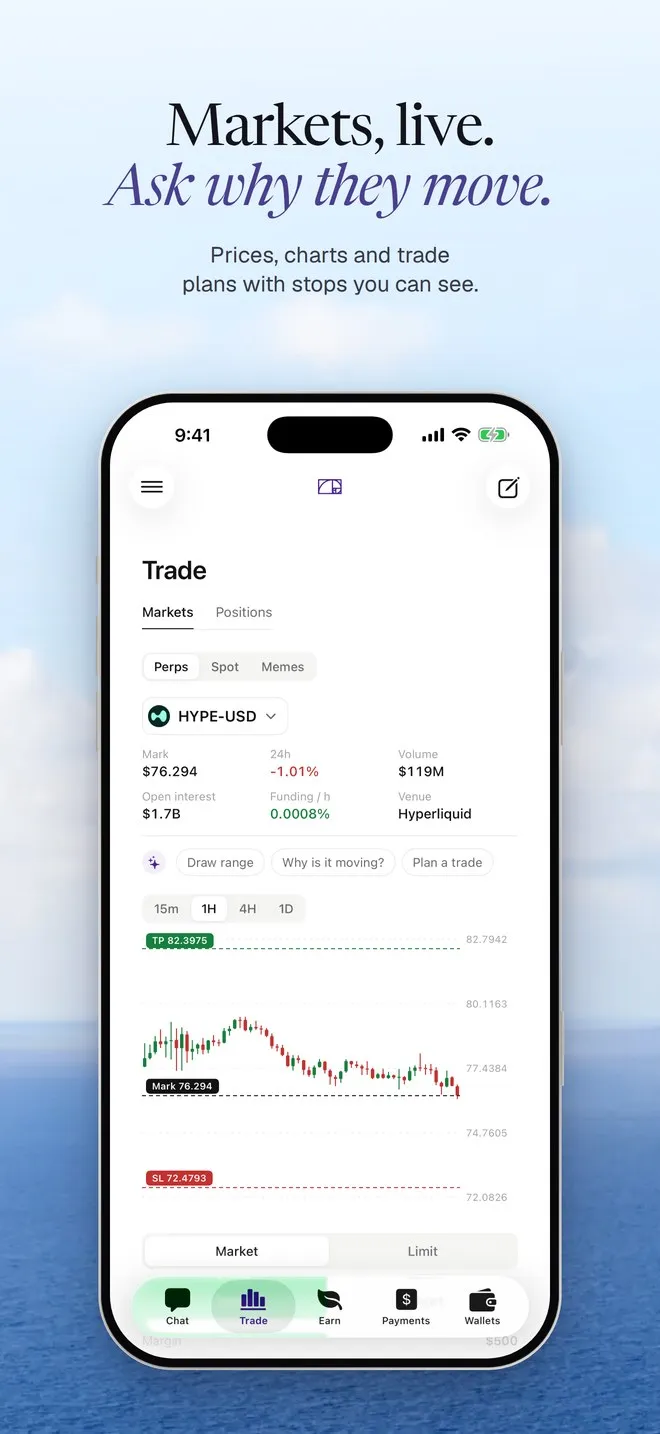
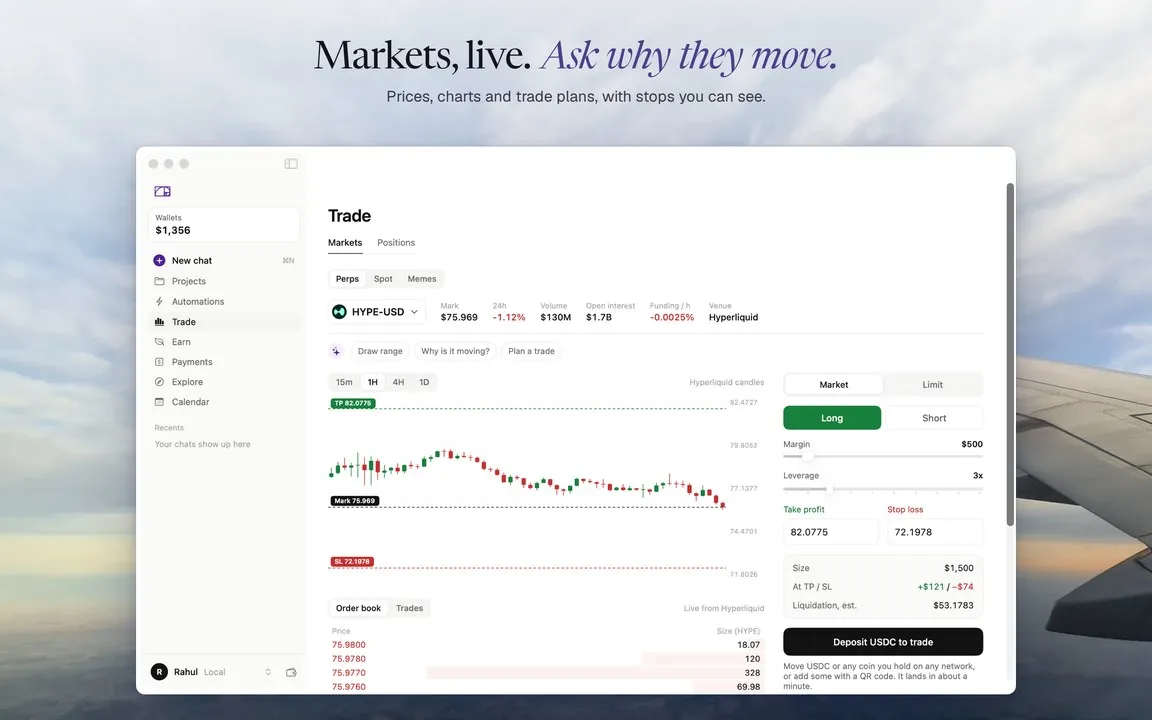
Why is it moving? and Plan a trade above the chart send the market’s live numbers to Hermit in chat. Draw range marks the high and low of the candles on screen.
Your position
Section titled “Your position”Once it fills, the position card under the form shows your P&L, the numbers, its TP and SL, and Close at 25%, 50% or 100%. Positions lists every Hyperliquid position with live P&L, your open orders with Cancel, and your Solana tokens.
Tap a position for everything: size, entry, mark, liquidation, margin used, ROE, funding per hour and funding since you opened it. Closing is a market order, reduce only, and you review it before anything is signed.
Stocks on trade.xyz
Section titled “Stocks on trade.xyz”Markets like TSLA, NVDA and GOLD are on trade.xyz, which runs on Hyperliquid. You trade them the same way, and the stats say “Venue: trade.xyz”.
In a standard Hyperliquid account, trade.xyz markets have their own USDC balance, separate from the main one. If it’s short, Hermit tells you how much is there and doesn’t place the order.
Ask in chat
Section titled “Ask in chat”Long ETH with $50 at 5x
- Preparing the order for your review
A Review long ETH button. The review shows the size, margin and liquidation estimate. Check that $50 is what you meant: the size, or the margin.
Short SOL with $100 at 3x, stop loss at 210
- Preparing the order for your review
A Review short SOL button with the stop loss on it, if it’s above the price.
What are my open positions?
- Reading your Hyperliquid account
Your positions with entry, size, P&L and liquidation price.
From chat, the margin counts toward your daily limit and the assistant’s $100 per move. If you don’t have enough on Hyperliquid, you get an Add funds to Hyperliquid button instead.