Use Hermit
Swap and bridge
Move tokens within a chain or across chains. Hermit asks NEAR Intents and Relay and takes the better payout.
A swap trades one token for another. A bridge moves it to another chain. In Hermit they’re the same screen, and you can go from EVM networks, Solana or NEAR to any token NEAR Intents lists, Bitcoin and Hyperliquid included.
Swap from the Wallets page
Section titled “Swap from the Wallets page”- In Wallets, tap Swap (same chain) or Bridge (another chain). They show up once you hold something on a mainnet.
- Pick what you pay with under From and type the amount, or tap 25%, 50% or Max.
- Pick the token and network under To.
- Hermit asks NEAR Intents and Relay for a quote at the same time and shows the bigger payout. The box under it names the route (“via NEAR Intents” or “via Relay”), the least you’ll get, the cost and the time. “Also checked” shows what the other one offered.
- Tap Review. Hermit gets a fresh quote, and if it now pays more than 1% less than the screen showed, it stops and asks you to check the new amount.
- Approve with Face ID (Touch ID on a Mac).
No funds yet? Try a quote shows live NEAR Intents prices with nothing to sign.
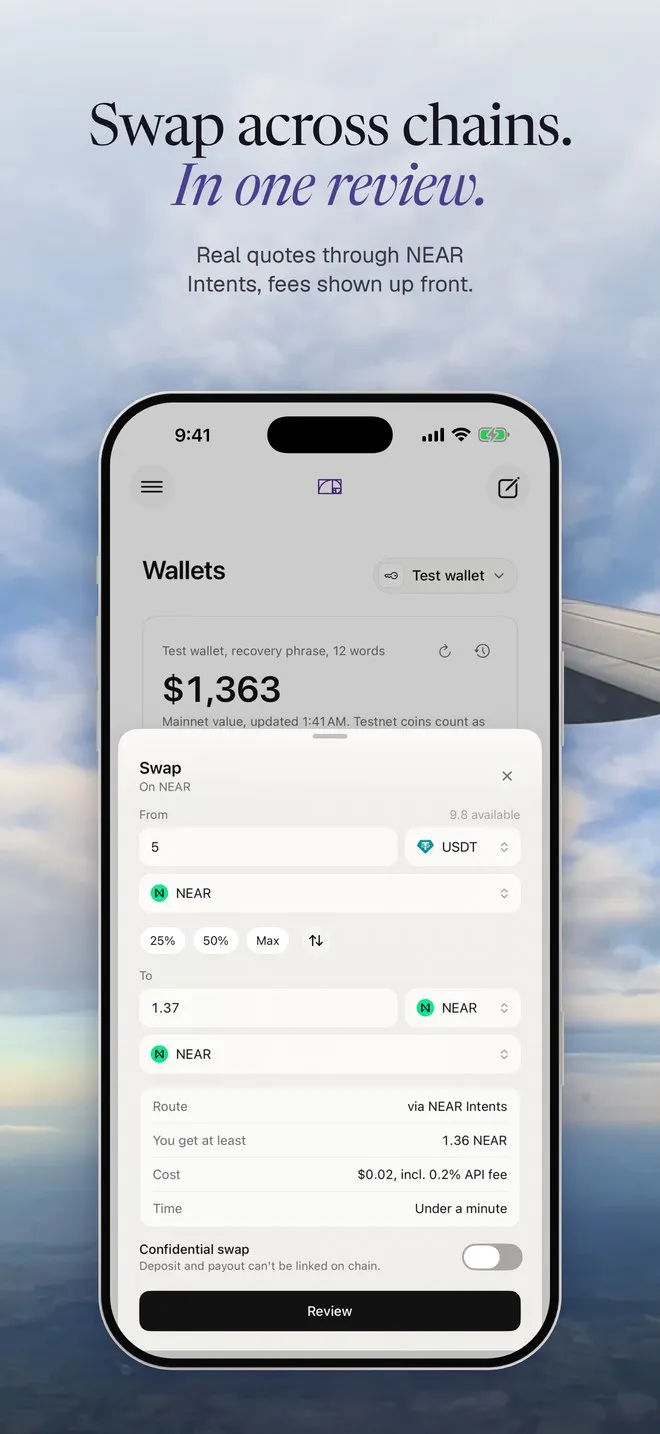
What you’re agreeing to
Section titled “What you’re agreeing to”NEAR Intents quotes allow 1% slippage, so “You get at least” is the floor. The output always goes to your own address, and so does any refund. The review says both (“Refunds to” shows the address).
An Intents swap is one plain transfer from your wallet to a one-time deposit address. After you approve, a tracker follows it in four steps: “Deposit sent from your wallet”, “1Click sees the deposit”, “Solvers swap it on NEAR Intents”, “Delivered to NEAR”. Each step links to its explorer. A Relay route may need more than one transaction, and the review says how many.
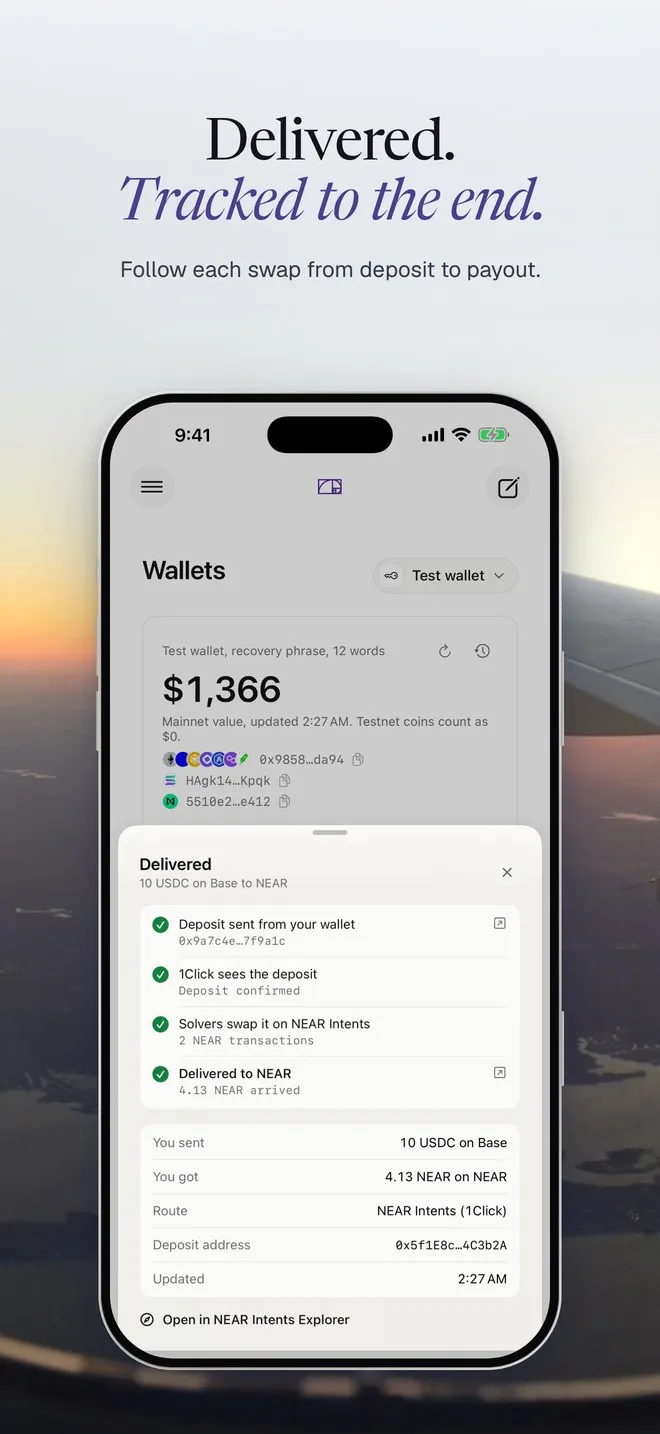
If it doesn’t go through
Section titled “If it doesn’t go through”A NEAR Intents swap either delivers or refunds. If less arrived than the quote needs, the tracker says “Deposit was less than the quote” and you can send the rest before the quote expires. A refund says how much went back and where.
You can’t cancel a 1Click swap once the deposit is sent. You can hide it from the list with Hide from list: “Hidden. It keeps going and stays in Activity.” If you never sent the deposit, the unused address just expires. NEAR Intents has every status.
Confidential swaps
Section titled “Confidential swaps”The Confidential swap switch makes the deposit and the payout impossible to link on chain. Confidential swaps go through NEAR Intents only, and they need a 1Click partner key.
Without a partner key, NEAR Intents adds a 0.2% API fee, and the Cost line says so. Builds that carry our key show “Hermit’s, built in”. To use your own, open Wallets, pick a wallet, go to Security, and paste it under NEAR Intents.
Ask in chat
Section titled “Ask in chat”Swap 20 USDC on Base to NEAR
- Preparing the swap for your review
Hermit opens Wallets on the Swap screen, filled in. You tap Review and approve, or close it. Nothing moves until you do.
How much SOL would 50 USDC on Arbitrum get me?
- Getting a NEAR Intents quote for 50 USDC to SOL
Just the quote. Nothing is prepared.
The assistant has tighter limits than you: up to $100 per move, payouts only to your own addresses, and no swap that would lose more than 10% of its value. It won’t prepare a swap to Bitcoin, because it can’t pick a payout address for you. You can still do that one yourself on the Swap screen. See Spending policy.